
A Sidra Chain Wallet is a digital wallet designed to store, send, receive, and manage assets on the Sidra Chain network. Unlike traditional wallets that hold physical money, a Sidra Chain Wallet stores cryptographic keys that give you access to your digital assets on the blockchain.
At its core, the Sidra Chain Wallet acts as a bridge between users and the Sidra Chain blockchain. It allows you to interact with decentralized applications, verify balances, and authorize transactions securely. Importantly, the wallet itself does not store coins; instead, it provides proof of ownership through cryptographic credentials.
Understanding Sidra Chain Technology
Sidra Chain is built as a blockchain ecosystem focused on secure, transparent, and ethical digital finance. Transactions are recorded on a distributed ledger, meaning every transaction is verified by the network rather than a central authority. This design improves trust and reduces fraud.
Core Purpose of a Sidra Chain Wallet
The primary purpose of a Sidra Chain Wallet is to:
- Safely store your private and public keys
- Enable peer-to-peer transactions
- Allow interaction with Sidra Chain-based platforms
- Provide full control over your digital assets
How Transactions Work on Sidra Chain
When you send assets using a Sidra Chain Wallet, the wallet signs the transaction with your private key. The network then validates and records the transaction on the blockchain. This process ensures transparency while keeping your identity protected.
Public Keys, Private Keys, and Wallet Security
Your public key acts like an address others can send funds to, while your private key is your secret access code. If someone gains access to your private key, they control your wallet. That’s why wallet security is critical when using a Sidra Chain Wallet.
Types of Sidra Chain Wallets Available
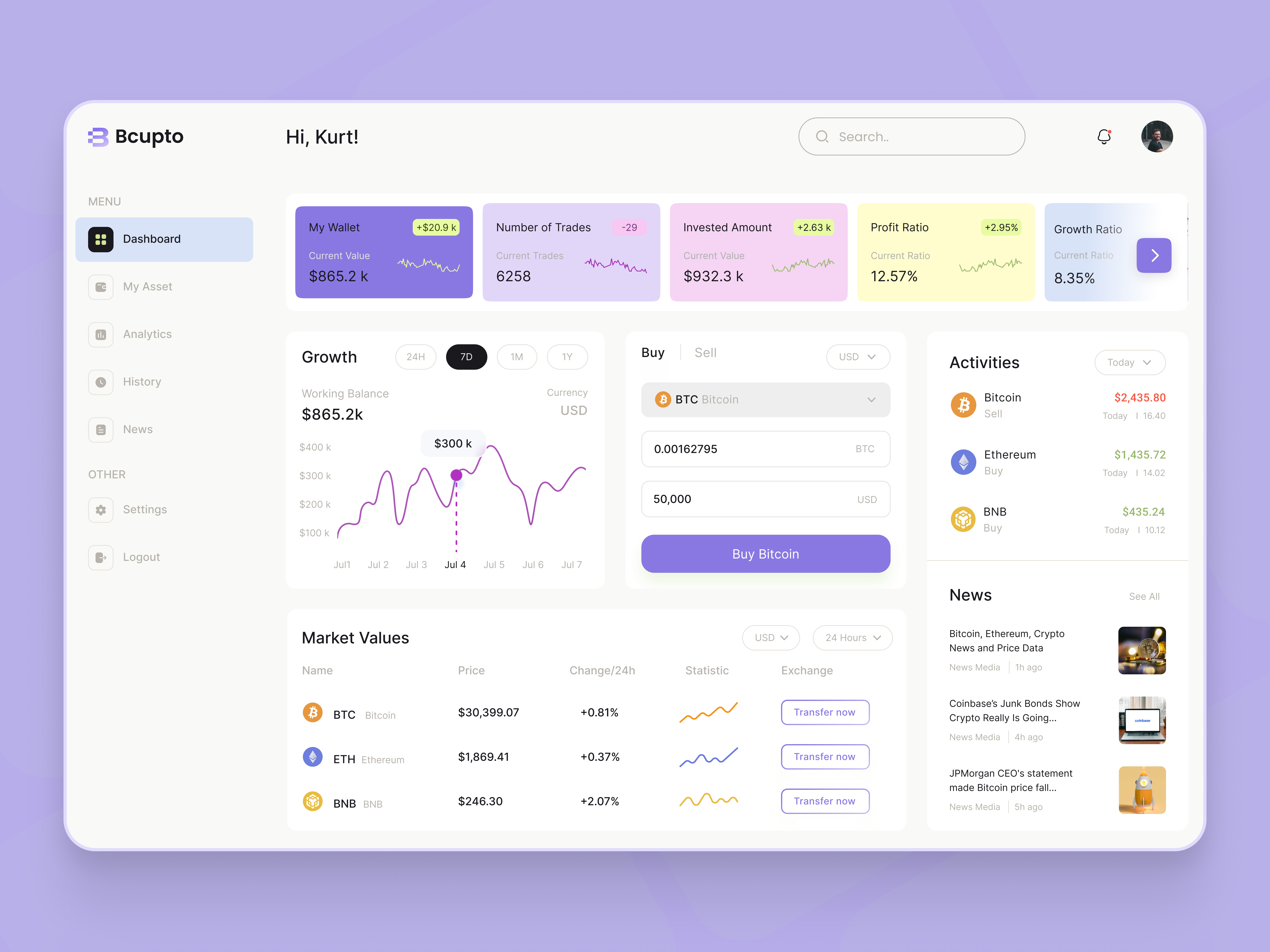
There are several types of Sidra Chain Wallets available, each suited to different user needs and security preferences.
Software Wallets (Mobile & Desktop)
Software wallets are applications installed on your device.
Mobile Sidra Chain Wallets
Mobile wallets offer convenience and portability. They are ideal for daily transactions and quick access but require strong device security.
Desktop Sidra Chain Wallets
Desktop wallets provide more control and are often preferred by users managing larger balances from a personal computer.
Web-Based Sidra Chain Wallets
Web wallets run in a browser and can be accessed from any device. While they are convenient, they rely heavily on the security practices of the service provider.
Hardware Sidra Chain Wallets
Hardware wallets are physical devices that store your private keys offline. They are considered the most secure option for long-term storage of Sidra Chain assets.
Custodial vs Non-Custodial Wallets
- Custodial wallets are managed by third parties who hold your private keys.
- Non-custodial wallets give you full ownership and control of your keys, aligning with blockchain’s decentralized philosophy.
How to Set Up a Sidra Chain Wallet Step by Step

Setting up a Sidra Chain Wallet is straightforward if you follow these steps carefully.
Step 1: Choose the Right Wallet Type
Decide whether you want a mobile, desktop, web, or hardware Sidra Chain Wallet based on your security needs and usage habits.
Step 2: Download or Access the Wallet
Always download wallets from official sources or verified platforms to avoid scams or malicious software.
Step 3: Create a New Sidra Chain Wallet
Follow the on-screen instructions to generate a new wallet. This process will create your unique public and private keys.
Step 4: Secure Your Recovery Phrase
You’ll receive a recovery or seed phrase—usually 12 to 24 words. Write it down and store it offline. This phrase is the only way to recover your Sidra Chain Wallet if you lose access.
Step 5: Fund and Use Your Wallet
Once set up, you can receive assets, send transactions, and explore Sidra Chain services using your wallet.
Key Features to Look for in a Sidra Chain Wallet
- Strong encryption and security controls
- Backup and recovery options
- User-friendly interface
- Compatibility with Sidra Chain updates
- Non-custodial ownership options
Common Mistakes to Avoid
- Sharing your private key or recovery phrase
- Using unofficial wallet applications
- Storing recovery phrases online
- Ignoring software updates
Key Features of the Sidra Chain Wallet

A Sidra Chain Wallet is designed to give users full control, transparency, and security when managing digital assets on the Sidra Chain network. Its feature set reflects modern blockchain standards while remaining simple enough for everyday users.
1. Non-Custodial Ownership
One of the most important features of the Sidra Chain Wallet is non-custodial control. This means you own your private keys, not a third party. Full ownership ensures that only you can authorize transactions or access funds.
2. User-Friendly Interface
The wallet interface is clean and intuitive, making it suitable for beginners while still powerful enough for experienced users. Asset balances, transaction history, and wallet addresses are easy to locate and understand.
3. Secure Key Management
Sidra Chain Wallets generate cryptographic public and private keys locally on your device. These keys are never shared with the network, reducing the risk of unauthorized access.
4. Multi-Asset Support
A Sidra Chain Wallet can manage multiple supported assets within the Sidra ecosystem, allowing users to store, send, and receive tokens from a single dashboard.
5. Transaction Transparency
Every transaction can be tracked on the blockchain. Users can view confirmations, timestamps, and transaction IDs directly from the wallet, ensuring full transparency.
6. Backup and Recovery Options
Wallets provide a recovery (seed) phrase, typically 12 or 24 words, which allows users to restore access if the device is lost or damaged.
Security Measures Used in Sidra Chain Wallets

Security is a core priority of any Sidra Chain Wallet. Multiple layers of protection are used to safeguard user assets against threats.
1. Encryption Technology
Private keys and sensitive wallet data are encrypted using advanced cryptographic algorithms. Even if someone gains access to your device, encrypted data remains unreadable without proper authorization.
2. Recovery Phrase Protection
During setup, users receive a recovery phrase that acts as the master key to the wallet. This phrase is generated offline and should be stored securely, preferably written down and kept in a safe physical location.
3. Device-Level Security
Most Sidra Chain Wallets integrate with device security features such as:
- PIN codes
- Passwords
- Biometric authentication (fingerprint or facial recognition)
4. Offline Storage (Cold Storage Support)
When used with hardware wallets, private keys remain offline at all times. This “cold storage” method protects funds from online attacks like phishing or malware.
5. Transaction Confirmation Prompts
Before any transaction is broadcast to the network, the wallet requires explicit user confirmation. This prevents accidental or unauthorized transfers.
6. Regular Software Updates
Wallet providers frequently release updates to patch vulnerabilities and improve performance. Keeping the wallet updated is a crucial security practice.
How to Send and Receive Assets Using a Sidra Chain Wallet
Sending and receiving assets with a Sidra Chain Wallet is simple and efficient once the wallet is set up.
How to Receive Assets
- Open Your Sidra Chain Wallet
Navigate to the wallet dashboard and select the asset you want to receive. - Copy Your Wallet Address
Each wallet has a unique public address. You can copy it manually or share it via a QR code. - Share the Address with the Sender
The sender uses this address to transfer assets to your wallet. - Wait for Network Confirmation
Once the transaction is processed on the blockchain, the assets will appear in your wallet balance.
How to Send Assets
- Select the Asset to Send
Open your wallet and choose the token or asset you want to transfer. - Enter the Recipient’s Address
Carefully paste the recipient’s Sidra Chain wallet address. Always double-check it. - Specify the Amount
Enter the amount you want to send and review the transaction fee. - Confirm the Transaction
Approve the transaction using your PIN, password, or biometric authentication. - Track the Transaction
After sending, you can monitor the transaction status directly within the wallet until it is confirmed.
Shariah-Compliant Design of the Sidra Chain Wallet

The Sidra Chain Wallet is built with a strong emphasis on ethical and Shariah-compliant financial principles, making it distinct from many conventional blockchain wallets. It aligns modern blockchain technology with Islamic finance values to ensure responsible and transparent digital asset management.
1. Prohibition of Riba (Interest-Free Design)
The Sidra Chain Wallet is structured to avoid interest-based mechanisms (riba). Assets held or transferred through the wallet are not designed to generate interest automatically, ensuring compliance with Islamic financial law.
2. Asset-Backed and Ethical Focus
Sidra Chain promotes the use of real-world, asset-backed digital tokens rather than speculative or purely synthetic instruments. This reduces excessive uncertainty (gharar) and supports ethical financial participation.
3. Transparency and Traceability
Blockchain transparency plays a key role in Shariah compliance. Every transaction made through the Sidra Chain Wallet is:
- Verifiable on the blockchain
- Time-stamped and immutable
- Auditable for ethical review
This openness supports accountability, a core principle in Islamic finance.
4. User Ownership and Responsibility
Non-custodial wallet design ensures users maintain full control over their funds. This aligns with Islamic principles of personal responsibility, trust (amanah), and lawful ownership.
5. Ethical Use of Smart Technology
Smart contract interactions within the Sidra ecosystem are designed to follow predefined ethical rules, minimizing exploitation, manipulation, or unfair advantage.
Common Issues and Troubleshooting Sidra Chain Wallet

Like any digital wallet, users may occasionally face technical or usage-related issues. Below are common Sidra Chain Wallet problems and how to resolve them.
1. Wallet Not Syncing
Cause: Network delay or outdated wallet version
Solution:
- Check your internet connection
- Update the wallet to the latest version
- Restart the application
2. Transaction Stuck as “Pending”
Cause: Network congestion or low transaction fee
Solution:
- Wait for network confirmation
- Avoid closing the app during processing
- Contact official support if the delay is unusually long
3. Incorrect Balance Display
Cause: Temporary sync or cache issue
Solution:
- Refresh the wallet
- Reopen the application
- Ensure you are connected to the correct Sidra Chain network
4. Lost Access to Wallet
Cause: Device loss or app deletion
Solution:
- Restore the wallet using your recovery (seed) phrase
- Ensure words are entered in the correct order
5. Address or Transfer Errors
Cause: Copy-paste mistakes or incompatible addresses
Solution:
- Always verify addresses before sending
- Use QR codes where possible
- Send a small test transaction first
Best Practices for Safely Using a Sidra Chain Wallet
Following best practices significantly reduces the risk of asset loss and enhances long-term security when using a Sidra Chain Wallet.
1. Protect Your Recovery Phrase
- Write it down on paper or metal
- Never store it online or take screenshots
- Never share it with anyone
2. Use Strong Device Security
- Enable PINs, passwords, or biometrics
- Lock your phone or computer when not in use
- Avoid installing unknown applications
3. Keep Software Updated
Wallet updates often include:
- Security patches
- Network improvements
- Bug fixes
Always use the latest official version.
4. Beware of Phishing Attempts
- Do not click unknown links
- Only download wallets from official sources
- Ignore messages asking for private keys or recovery phrases
5. Use Hardware Wallets for Large Holdings
For long-term storage or large balances, hardware wallets provide offline protection against online threats.
6. Double-Check Every Transaction
Blockchain transactions are irreversible. Always:
- Verify recipient addresses
- Confirm amounts
- Review fees before approving
FAQs
1. What is a Sidra Chain wallet?
A Sidra Chain wallet is a digital wallet that allows users to store, send, receive, and manage assets within the Sidra Chain ecosystem while adhering to Shariah-compliant financial principles.
2. How do I set up a Sidra Chain wallet?
You can set up a Sidra Chain wallet by downloading the official wallet application, creating a new account, securely storing your recovery phrase, and completing the initial configuration.
3. Is the Sidra Chain wallet secure?
Yes, Sidra Chain wallets use advanced encryption, private key protection, and secure authentication methods to help safeguard user funds and data.
4. Is the Sidra Chain wallet Shariah-compliant?
Yes, the wallet is designed to support ethical, interest-free, and transparent transactions that align with Islamic finance principles.
5. Can I send and receive tokens using the Sidra Chain wallet?
Yes, the Sidra Chain wallet allows users to easily send and receive supported digital assets within the network.